






Jak mogę poprosić o mój numer konta UPS?
Przewodnik krok po kroku dotyczący tworzenia lub lokalizowania numeru konta UPS za pośrednictwem UPS.com. Zawiera rozwiązywanie problemów z typowymi problemami związanymi z konfiguracją konta.
Przewodnik krok po kroku
Uzyskaj swój numer konta UPS
Jeśli jeszcze nie masz numeru konta UPS, przejdź do ups.com i utwórz nowe konto UPS. Podczas procesu rejestracji zostaniesz poproszony o podanie swoich danych osobowych i szczegółów płatności.
→ https://www.ups.com
Log in or sign up on UPS.com
Go to https://www.ups.com and log in with your UPS.com credentials, or register a new account at the UPS signup page.
→ https://wwwapps.ups.com/doapp/signup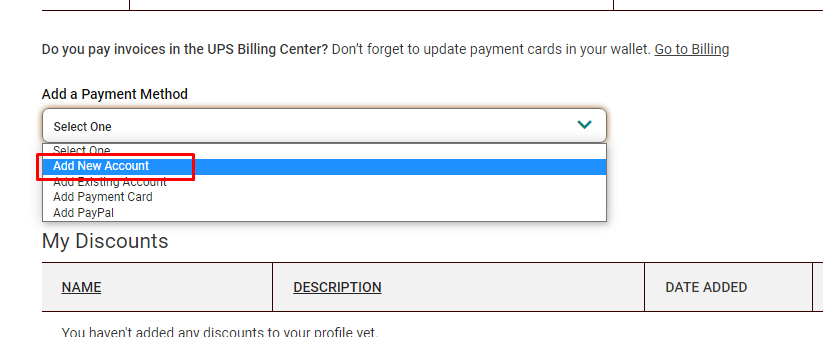
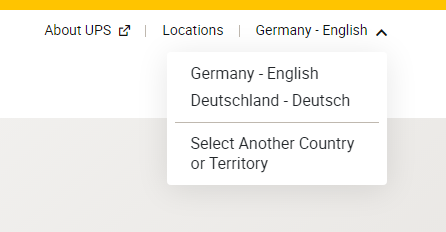
Make sure the correct country or territory is selected
During registration, confirm that the correct country or territory is selected so your UPS Account Number is created for the right region.

Locate your UPS Account Number
After you successfully sign up, find your UPS Account Number on the confirmation page or in the email from accountconfirm@ups.com.
Znajdź swój numer konta po rejestracji
Po pomyślnej rejestracji nowego konta UPS powinieneś znaleźć swój numer konta UPS na stronie potwierdzenia lub otrzymać e-mail od: mclogin@ups.com z nowym numerem konta UPS. Możesz go również znaleźć na stronie metod płatności.
→ https://www.ups.com/lasso/login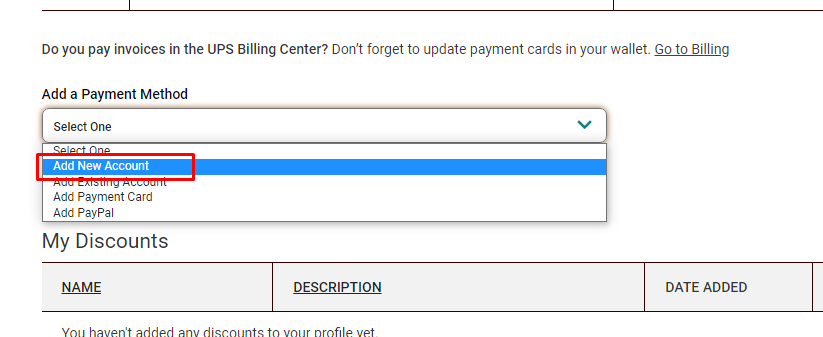
Navigate to UPS payment settings
Open the UPS payment settings page at https://wwwapps.ups.com/ppc/ppc.html/payment while you are logged in to your UPS.com account.
→ https://wwwapps.ups.com/ppc/ppc.html/paymentSelect "Add a payment method"
On the payment page, select "Add a payment method" and open the dropdown menu.
→ https://wwwapps.ups.com/ppc/ppc.html/paymentClick "Add new Account"
In the dropdown, choose "Add new Account" to create a new UPS Account Number.
→ https://wwwapps.ups.com/ppc/ppc.html/paymentVerify the new UPS Account Number
After you create the new account, verify that your new UPS Account Number is visible on the payment page with method type "Account".
→ https://wwwapps.ups.com/ppc/ppc.html/payment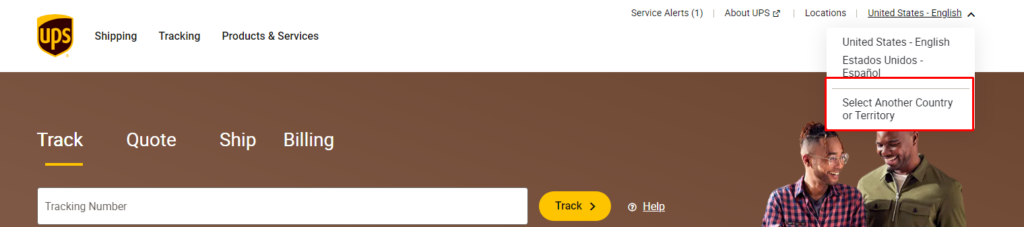
Zweryfikuj numer konta
Gdy tylko utworzysz nowy numer konta UPS, powinien być widoczny na stronie metod płatności z metodą "Konto".
→ https://wwwapps.ups.com/ppc/ppc.html/payment
Check your inbox for the UPS confirmation email
Look for an email from accountconfirm@ups.com containing your existing UPS Account Number.
Navigate to UPS payment settings
If the account number is not listed yet, open https://wwwapps.ups.com/ppc/ppc.html/payment.
→ https://wwwapps.ups.com/ppc/ppc.html/paymentSelect "Add a payment method"
On the payment page, select "Add a payment method" and open the dropdown.
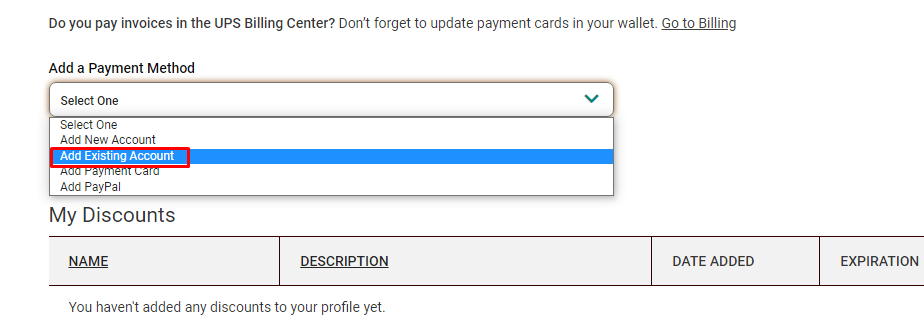
→ https://wwwapps.ups.com/ppc/ppc.html/paymentClick "Add Existing Account"
In the dropdown, choose "Add Existing Account" and follow the prompts to link your existing UPS Account Number.
→ https://wwwapps.ups.com/ppc/ppc.html/paymentJuż masz istniejący numer konta UPS
Jeśli twój numer konta UPS nie jest wymieniony na stronie metod płatności, możesz go dodać, przechodząc na stronę i klikając "Dodaj istniejące konto" pod "Dodaj metodę płatności". Jeśli napotkasz jakiekolwiek problemy podczas tego procesu, skontaktuj się z nami i upewnij się, że szczegółowo opisujesz, co się dzieje, najlepiej dołączając zrzut ekranu.
→ https://wwwapps.ups.com/ppc/ppc.html/payment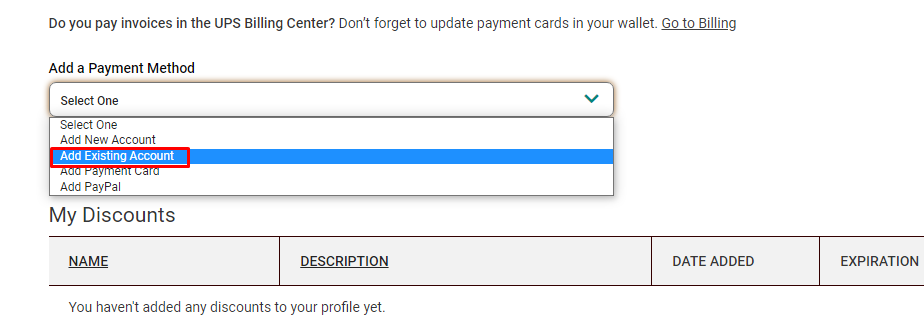
Check for a fraud or security message
If UPS blocks the operation and displays a fraud or security warning instead of completing the account creation or linking, note the message shown.
Call your local UPS Customer or Technical Service
Contact your local UPS Customer or Technical Service representative using the phone number shown in the message or on UPS.com.
→ https://www.ups.comFind your local UPS Technical Support number
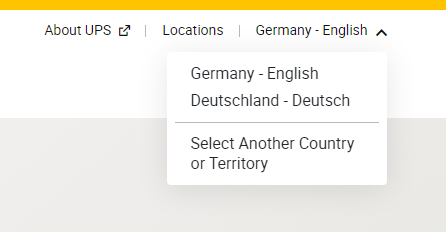
If you cannot reach anyone under the provided number, go to the UPS contact page, select the correct territory, and call the listed Technical Support number.
→ https://www.ups.com/de/en/support/contact-us.page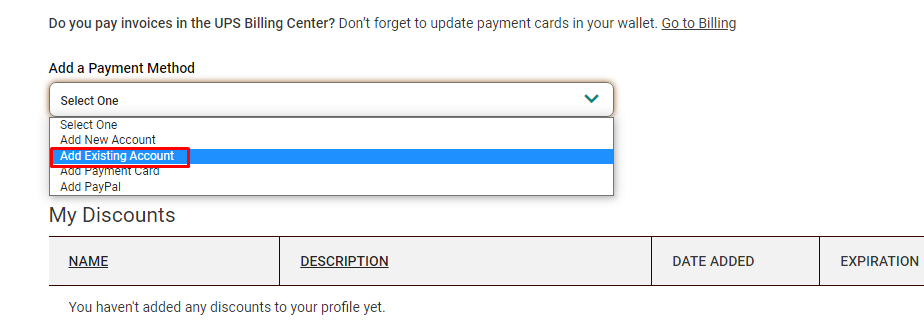
Open a support ticket for additional help
If you still have issues getting or linking your UPS Account Number, open a support ticket with us so we can assist you further.
Rozwiązywanie problemów
Czasami UPS oznacza tę operację jako oszukańczą i nie kontynuuje procesu generowania lub łączenia numeru konta UPS. Zamiast tego nie kończy tego kroku. W takim przypadku skontaktuj się z pomocą techniczną UPS i powiedz im, że potrzebujesz, aby numer konta UPS został aktywowany. Szczegóły kontaktowe lokalnej pomocy technicznej UPS można znaleźć na ups.com.